
Colony vs Teamwork.com: Which is better for teams that want CRM and projects under one subscription?
Colony includes CRM, KPI dashboards, and a shared calendar in a single plan. Teamwork.com is built for client services and agencies, with strong time tracking and budgeting tools — but its CRM is a separate product from its core project management tool, which means two subscriptions to cover the full client lifecycle.
Colony vs Teamwork.com: feature comparison
| Features | Colony | Teamwork.com |
|---|---|---|
| All-in-one workspace (Projects, KPIs, CRM, Calendar) | Partial | |
| Built-in CRM | ||
| KPI & performance dashboards | Partial | |
| Unified team calendar | ||
| Task & project management | ||
| No copy-pasting between tools | ||
| Free plan | ||
| Starting price (per user / month) | $12 | $13.99 |
| Learning curve | Easy | Moderate |
| Best for | Unified operations | Client services and agencies |
See what makes Colony a better way to get work done
From turning ideas into plans to keeping your team aligned, Colony brings everything together so you can spend less time managing work and more time moving it forward.
Napkin, one assistant for one workspace
Because Teamwork's CRM is a separate product from its project management tool, an assistant working inside one doesn't see the other. Napkin sees CRM, projects, and calendar together because Colony built all three together from the start — arguably the best ai project management tool for agencies in 2026 juggling both client and delivery work.
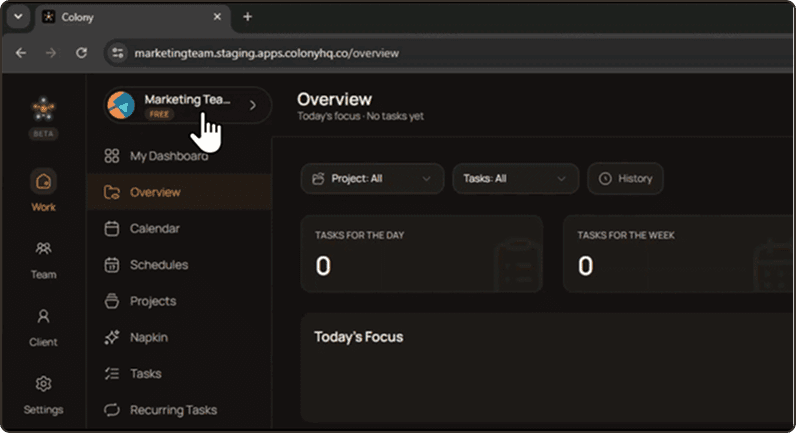
Built-in CRM, not a second subscription
Colony's CRM is included in the same plan as its project tools — a project management tool with built-in crm from day one, in 2026 and going forward. Teamwork sells CRM as a separate product, so pairing project management with client tracking means running and paying for two connected-but-distinct tools.
Colony vs Teamwork.com pricing
Teamwork's Starter plan runs around $13.99 per user a month, above Colony's $12 — and that's before adding Teamwork's separate CRM product for client tracking. Priced as a full CRM-and-projects setup, colony vs teamwork.com pricing comes out ahead for agencies that need both.